![traintool-logo-full-wite no bg 2 (1).png]](https://support.traintool.com/hs-fs/hubfs/traintool-logo-full-wite%20no%20bg%202%20(1).png?height=40&name=traintool-logo-full-wite%20no%20bg%202%20(1).png)
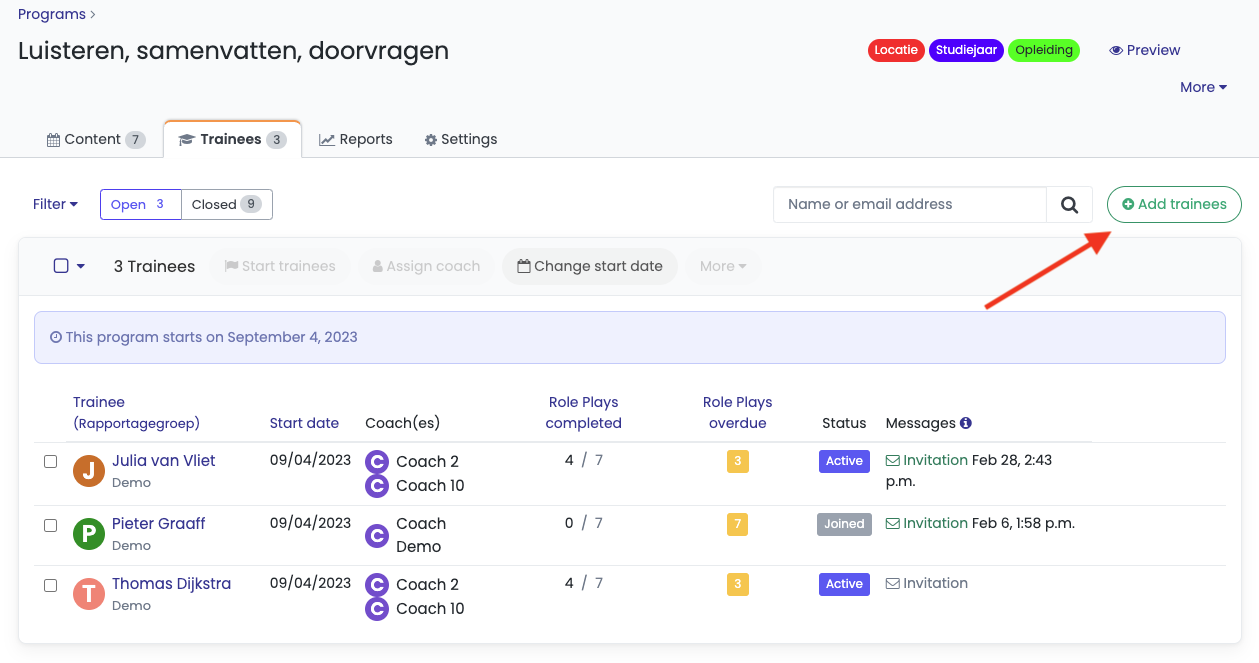
1. You can manually enroll trainees as an admin in TrainTool. Go to the 'Trainees' tab and click the '+ Add trainees' button.
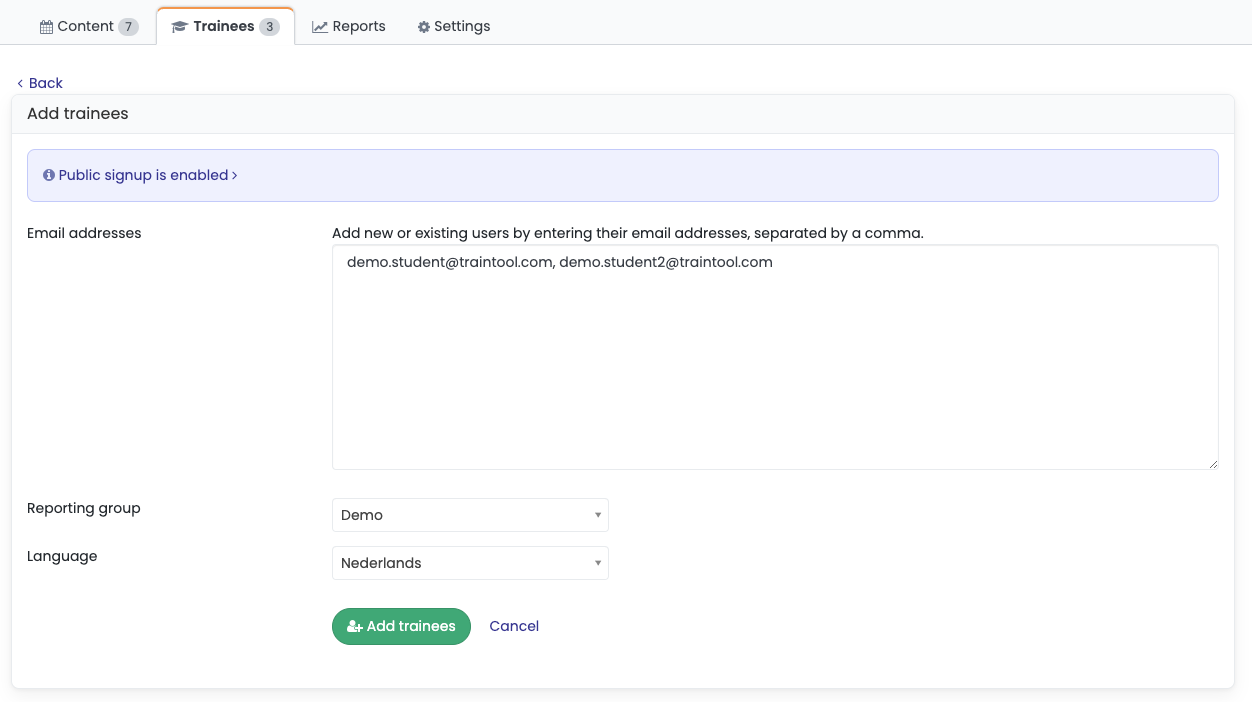
2. Now add the e-mail addresses of the trainees you want to add.
- You can add multiple trainees at once by placing a comma after each e-mail address.
- Use enrollment links to add large amounts of trainees at once.
After filling out all e-mail addresses, press the 'Add trainees' button.
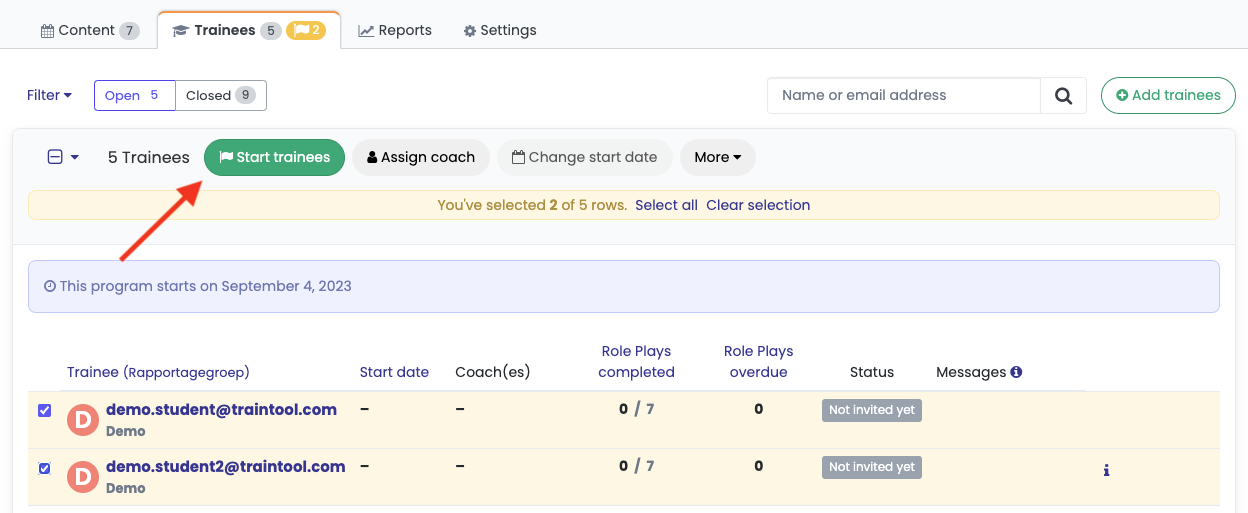
3. Caution: students haven't received their invitation yet. To send the invitational e-mails, select all students that you want to start and click 'Start trainees'. Trainees will now receive their invitation and will be able to enter the program.